

If you spend hours at a desk typing, clicking, or using hand tools, you’ve probably experienced hand or wrist discomfort at some point. That tingling sensation, the numbness in your fingers, or the sudden sharp pain shooting up your forearm—these aren’t just minor annoyances. They could be early warning signs of carpal tunnel syndrome, one of the most common workplace injuries in America. Here in Fredericksburg, VA, we see countless patients at Wilderness Family Chiropractic who are dealing with preventable wrist and hand issues simply because their workstation wasn’t set up correctly. The good news? With the right ergonomic adjustments and awareness, carpal tunnel syndrome is highly preventable. This article will walk you through everything you need to know about protecting your wrists, improving your workspace, and understanding when it’s time to seek professional care.
What is Carpal Tunnel Syndrome? Carpal tunnel syndrome occurs when the median nerve, which runs from your forearm into your hand through a narrow passageway called the carpal tunnel, becomes compressed or irritated. This compression causes pain, numbness, tingling, and weakness in the hand and fingers, particularly affecting the thumb, index, middle, and part of the ring finger.
Table of Contents
- Understanding Carpal Tunnel Syndrome: What’s Really Happening
- Common Workplace Causes and Risk Factors
- Early Warning Signs You Shouldn’t Ignore
- Setting Up an Ergonomic Workstation
- How Chiropractic Care Addresses Carpal Tunnel
- Practical Prevention Strategies for Daily Work
- When to See a Chiropractor
- Myths vs. Facts About Carpal Tunnel Syndrome
- Final Thoughts
Understanding Carpal Tunnel Syndrome: What’s Really Happening
To prevent carpal tunnel syndrome effectively, it helps to understand what’s happening beneath the surface. The carpal tunnel is a narrow passageway on the palm side of your wrist, formed by small bones and a thick ligament. Through this tunnel runs the median nerve, along with nine tendons that control finger movement. When you perform repetitive hand motions, maintain awkward wrist positions, or grip tools tightly for extended periods, the tissues inside this tunnel can swell and inflame.
As inflammation increases, the available space shrinks. The median nerve gets compressed against the surrounding structures, disrupting its ability to transmit signals properly. This compression is what causes the characteristic symptoms: tingling, numbness, pain, and eventually weakness if left untreated. Think of it like a garden hose with someone stepping on it—the water flow gets restricted, and problems develop downstream.
What makes workplace-related carpal tunnel particularly concerning is that the damage accumulates gradually. Many people dismiss early symptoms as temporary fatigue or “just part of the job.” By the time they seek help, the condition may have progressed significantly. Research suggests that workplace ergonomics play a substantial role in carpal tunnel development, with office workers, assembly line workers, cashiers, and anyone performing repetitive hand tasks at higher risk.
Common Workplace Causes and Risk Factors
Understanding what contributes to carpal tunnel syndrome in workplace settings helps you identify and address problems before they become serious. At Wilderness Family Chiropractic, we’ve noticed several consistent patterns among our Fredericksburg patients who develop work-related wrist issues.
Repetitive hand motions top the list. Typing thousands of keystrokes daily, using a mouse for hours without breaks, or performing the same hand movements on an assembly line creates constant stress on the wrist structures. Each individual motion might seem harmless, but the cumulative effect over weeks, months, and years leads to tissue irritation and inflammation.
Awkward wrist positioning compounds the problem. When your wrists bend upward, downward, or to either side while working, you’re placing extra pressure on the carpal tunnel. Many keyboard setups force the wrists into extension (bent upward), which narrows the tunnel space and increases nerve compression. Similarly, gripping tools at odd angles or working with your hands above shoulder height creates biomechanical stress.
Force and pressure matter too. Gripping a mouse tightly, pressing hard on keyboard keys, or using hand tools that require significant grip strength all increase pressure inside the carpal tunnel. Some workers develop habits of “white-knuckling” their mouse or death-gripping their pen without realizing it, maintaining constant muscle tension that never allows the tissues to relax and recover.
Vibration exposure accelerates nerve irritation. Power tools, industrial equipment, and even constant typing on mechanical keyboards create vibrations that travel through the hand and wrist. Evidence indicates that vibration exposure combined with repetitive motion significantly increases carpal tunnel risk.
Environmental factors shouldn’t be overlooked. Cold temperatures cause muscles and tendons to stiffen, reducing flexibility and increasing injury risk. Many office workers in Fredericksburg don’t realize their overly air-conditioned workspace might be contributing to their hand discomfort.
Early Warning Signs You Shouldn’t Ignore
Recognizing carpal tunnel syndrome early gives you the best chance of preventing permanent nerve damage. Unfortunately, many people normalize their symptoms or assume they’ll resolve on their own. Pay attention to these warning signs, especially if they occur during or after work activities.
Tingling or numbness in the fingers, particularly the thumb, index, middle, and ring fingers, is often the first symptom people notice. This sensation might start subtly—perhaps your fingers feel slightly “asleep” after a long typing session. Initially, the tingling might resolve quickly once you shake out your hands or change positions. As the condition progresses, the numbness lasts longer and may even wake you up at night.
Nighttime symptoms are particularly significant. Many people with developing carpal tunnel syndrome report waking up with numb, tingling hands or needing to shake their hands to restore feeling. This happens because people often sleep with bent wrists, which increases pressure on the already-irritated median nerve.
Pain that radiates is another key indicator. You might feel pain starting in your wrist and shooting up into your forearm, or occasionally into your palm and fingers. Some patients describe it as an electric shock sensation, while others experience a deep ache. The pain often worsens with activities that involve wrist flexion or extension.
Weakness and clumsiness develop as nerve compression worsens. You might notice yourself dropping objects more frequently, having difficulty buttoning shirts, or struggling with tasks requiring fine motor control. The muscles at the base of your thumb, controlled by the median nerve, may begin to atrophy in advanced cases, though this represents significant progression.
Symptom patterns matter. If your discomfort consistently appears during or after specific work tasks, improves on weekends or vacations, and returns when you resume work, there’s a clear connection between your activities and your symptoms.
Setting Up an Ergonomic Workstation
Proper ergonomic setup is your first line of defense against carpal tunnel syndrome. Small adjustments to your workspace can dramatically reduce wrist stress and prevent nerve compression. Here’s how to optimize your workstation for wrist health.
Keyboard and Mouse Positioning
Your keyboard should sit at a height that allows your elbows to rest at approximately 90 degrees, with your forearms parallel to the floor or sloping slightly downward. This positioning prevents your wrists from bending upward while typing. The keyboard should be directly in front of you, not off to one side, which would force you to reach and twist.
Maintain neutral wrist alignment while typing. Your wrists should remain straight, not bent up, down, or to either side. Many people rest their wrists on the desk edge while typing, which forces the wrists into extension. Instead, your hands should float above the keyboard, moving from your elbows and shoulders rather than pivoting at the wrist. If you need wrist support, use a padded wrist rest positioned to support your palms during typing breaks, not during active typing.
Mouse placement requires equal attention. Position your mouse at the same height as your keyboard and close enough that you don’t have to reach for it. Your arm should remain close to your body, and your wrist should stay straight while clicking and scrolling. Consider using keyboard shortcuts to reduce mouse dependence, or alternate which hand operates the mouse throughout the day.
Chair and Desk Height
Your chair height directly affects your wrist positioning. Adjust your chair so your feet rest flat on the floor (or on a footrest) and your thighs are parallel to the ground. Your desk height should accommodate your keyboard at the proper level—if your desk is too high, you’ll elevate your shoulders and bend your wrists upward; too low, and you’ll slouch and create other postural problems.
Armrests should support your forearms without forcing your shoulders upward. Properly adjusted armrests reduce the load on your neck and shoulders while keeping your wrists in neutral alignment. If your armrests prevent you from getting close enough to your desk, they’re working against you—adjust them or remove them.
Monitor and Document Positioning
While monitor height primarily affects neck posture, it indirectly influences wrist health. If you’re constantly looking down at documents beside your keyboard or straining to see your monitor, you’ll compensate with poor posture that affects your entire upper body mechanics, including how you position your hands and wrists. Place your monitor at eye level, about an arm’s length away, and use a document holder to keep reference materials at the same height as your screen.
How Chiropractic Care Addresses Carpal Tunnel
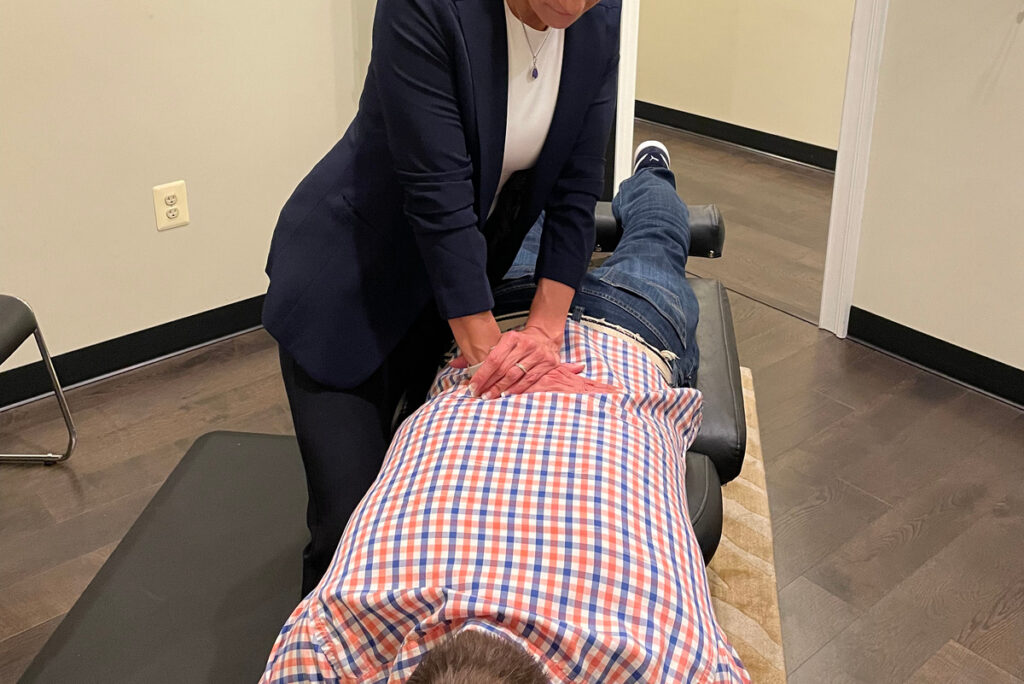
When ergonomic adjustments alone aren’t enough, or when symptoms have already developed, chiropractic care offers a conservative, non-surgical approach to addressing carpal tunnel syndrome. At Wilderness Family Chiropractic here in Fredericksburg, we take a comprehensive view of carpal tunnel, recognizing that wrist symptoms often stem from problems extending beyond just the wrist itself.
Chiropractors understand that nerve compression doesn’t happen in isolation. The median nerve originates from nerve roots in your neck, travels through your shoulder, down your arm, and finally through your wrist. Restrictions, misalignments, or tension anywhere along this pathway can contribute to symptoms. We evaluate your entire upper body kinetic chain—your cervical spine, shoulder mechanics, elbow position, and wrist alignment—to identify all contributing factors.
Chiropractic treatment for carpal tunnel syndrome typically involves several components. Gentle adjustments to the wrist bones and surrounding joints can restore proper alignment and reduce pressure on the median nerve. These adjustments are precise and controlled, designed to improve joint mobility without forcing or cracking.
Soft tissue techniques address muscle tightness and fascial restrictions that contribute to nerve compression. The muscles and connective tissues in your forearm can develop adhesions and trigger points from repetitive use, creating additional pressure on the carpal tunnel structures. Targeted soft tissue work helps release these restrictions and improve tissue quality.
Many chiropractors, including those at Wilderness Family Chiropractic, also address cervical spine involvement. Research has shown connections between neck problems and carpal tunnel symptoms, sometimes called “double crush syndrome,” where nerve compression occurs at multiple sites along the nerve pathway. By ensuring proper cervical spine alignment and function, we can reduce overall nerve irritation.
Treatment plans are individualized based on your specific presentation, work demands, and overall health. Some patients respond quickly with just a few visits and ergonomic modifications, while others with more advanced symptoms require more comprehensive care over several weeks. The goal is always to restore function, reduce pain, and prevent recurrence through both hands-on treatment and patient education.
We also provide guidance on activity modification, stretching routines, and strengthening exercises specific to your needs. Conservative care focuses on empowering you with tools to manage your condition and prevent future problems, not creating dependence on ongoing treatment.
Practical Prevention Strategies for Daily Work
Beyond workstation setup, daily habits and micro-breaks significantly impact your carpal tunnel risk. These practical strategies fit into any work routine and provide measurable protection for your wrists.
The 20-20-20 Rule for Hands
Just as the 20-20-20 rule helps your eyes (every 20 minutes, look at something 20 feet away for 20 seconds), you can apply a similar concept to your hands. Every 20-30 minutes, take a 20-second break to shake out your hands, stretch your fingers, and flex and extend your wrists gently. These micro-breaks interrupt the repetitive stress cycle and allow tissues to recover before inflammation builds up.
Typing Technique Modifications
How you type matters as much as what you type on. Practice light touch typing—you don’t need to pound the keys to register keystrokes. Reduce unnecessary force by at least 50%. Keep your wrists elevated slightly above the keyboard rather than resting them, and let your fingers do the work rather than moving from your wrists.
Maintain soft, relaxed hands. Many people unconsciously tense their hands while working, creating constant muscle fatigue. Periodically check in with your grip tension and consciously relax your fingers and thumbs.
Temperature Management
Keep your hands warm throughout the workday. Cold hands and wrists have reduced circulation and flexibility, increasing injury risk. If your office runs cold, consider fingerless gloves or a small space heater under your desk. Some workers find that warming their hands under warm water for 30 seconds before starting intensive computer work helps prevent stiffness.
Vary Your Tasks
Task variation is one of the most effective prevention strategies. If possible, rotate between computer work, phone calls, reading, meetings, and other activities that use different muscle groups and positions. Even alternating between typing-intensive tasks and mouse-intensive tasks provides some variation in movement patterns.
Strengthening and Stretching
Simple exercises maintain wrist flexibility and strength. Wrist circles, gentle flexion and extension stretches, and finger spreads can be done at your desk throughout the day. Strengthening the forearm muscles with light resistance exercises helps support proper mechanics. However, avoid aggressive stretching if you’re already experiencing symptoms—overstretching an inflamed nerve can worsen irritation.
Proper Tool Selection
If your work involves hand tools, choose ergonomic designs with padded grips that reduce vibration transfer. Tools should fit your hand size without requiring excessive grip strength. For computer users, consider ergonomic keyboards, vertical mice, or trackballs that maintain more neutral wrist positions. These tools aren’t cure-alls, but they can reduce daily stress when combined with proper technique.
When to See a Chiropractor
Knowing when to seek professional evaluation can prevent minor symptoms from becoming chronic problems. Consider scheduling an appointment at Wilderness Family Chiropractic if you experience any of the following.
Persistent symptoms that last more than two weeks despite ergonomic improvements warrant evaluation. Occasional hand discomfort might resolve with rest and workstation adjustments, but symptoms that continue or worsen indicate underlying problems that need professional attention.
Nighttime awakening due to hand numbness or tingling is a significant red flag. This symptom pattern strongly suggests nerve compression and shouldn’t be ignored. The sooner you address it, the better your outcomes typically are.
Weakness or dropping objects indicates progressing nerve involvement. If you notice reduced grip strength, difficulty with fine motor tasks, or visible muscle wasting at the base of your thumb, you need prompt evaluation. These symptoms suggest more advanced nerve compression that requires immediate attention.
Symptoms in both hands simultaneously can indicate systemic issues or bilateral carpal tunnel syndrome. Either way, professional assessment is important to determine the underlying cause and appropriate treatment approach.
Pain that interferes with work or daily activities shouldn’t be normalized. If you’re modifying your activities, avoiding certain tasks, or taking over-the-counter pain medication regularly to manage wrist symptoms, it’s time to see a chiropractor.
However, certain symptoms require immediate medical attention rather than chiropractic care. Seek emergency evaluation if you experience sudden onset of severe pain, signs of infection (redness, warmth, fever), or if you’ve had a traumatic injury to your wrist. Chiropractic care is excellent for conservative management of carpal tunnel syndrome, but we always prioritize your safety and refer when appropriate.
| Ergonomic Problem | Resulting Wrist Position | Recommended Solution |
|---|---|---|
| Keyboard too high | Wrists extended (bent upward) | Lower keyboard or raise chair; use keyboard tray |
| Mouse too far away | Reaching and ulnar deviation | Position mouse closer; use keyboard shortcuts |
| Wrist resting on desk edge | Pressure on carpal tunnel | Float hands above keyboard; use palm rest only during breaks |
| Chair too low | Shoulders elevated, wrists flexed | Raise chair height; ensure feet remain supported |
| Angled keyboard without support | Wrists extended at wrong angle | Use negative tilt keyboard tray or flatten keyboard legs |
Myths vs. Facts About Carpal Tunnel Syndrome
Myth: Carpal tunnel syndrome only affects office workers
Fact: While office workers are at risk, carpal tunnel affects anyone performing repetitive hand motions. Construction workers, hairstylists, cashiers, musicians, and assembly line workers all experience high rates of carpal tunnel syndrome. The common factor is repetitive wrist motion and awkward positioning, not specifically computer use.
Myth: Cracking your knuckles causes carpal tunnel
Fact: Knuckle cracking doesn’t cause carpal tunnel syndrome. The carpal tunnel is located at the wrist and involves the median nerve, which isn’t affected by finger joint movement. While some debate exists about other effects of habitual knuckle cracking, carpal tunnel development isn’t among them.
Myth: You need surgery to fix carpal tunnel
Fact: Surgery is typically reserved for severe, long-standing cases that don’t respond to conservative care. Many people with mild to moderate carpal tunnel syndrome respond well to ergonomic modifications, activity changes, and conservative treatments including chiropractic care. Evidence suggests that non-surgical approaches should be tried first for most patients.
Myth: Wrist braces cure carpal tunnel syndrome
Fact: Wrist braces, particularly night splints, can help manage symptoms by preventing wrist flexion during sleep, but they don’t cure the underlying problem. Braces are supportive tools that work best when combined with addressing the root causes—poor ergonomics, repetitive stress, and biomechanical dysfunction. Wearing a brace all day can actually weaken wrist muscles if used incorrectly.
Myth: If you have hand numbness, it’s definitely carpal tunnel
Fact: Several conditions cause hand numbness, including cervical radiculopathy (pinched nerve in the neck), cubital tunnel syndrome (compression of the ulnar nerve at the elbow), thoracic outlet syndrome, and even systemic conditions like diabetes. Proper evaluation is necessary to determine the actual cause of your symptoms and guide appropriate treatment.
Final Thoughts
Carpal tunnel syndrome doesn’t have to be an inevitable consequence of desk work or repetitive hand activities. With proper ergonomic setup, mindful work habits, and early intervention when symptoms appear, you can protect your wrists and maintain long-term hand health. The key is taking action before minor discomfort becomes chronic pain and functional limitation.
Here at Wilderness Family Chiropractic in Fredericksburg, VA, we’re committed to helping our community prevent and recover from workplace-related injuries through education, hands-on care, and practical lifestyle guidance. Your wrists deserve the same attention and care you’d give any other part of your body—they’re essential tools that enable almost everything you do throughout the day.
Remember that preventing carpal tunnel is far easier than treating advanced cases. Small changes today—adjusting your chair height, taking regular breaks, maintaining neutral wrist positions—can save you from months or years of pain and dysfunction down the road. If you’re already experiencing symptoms, don’t wait for them to worsen. Conservative care works best when started early, before significant nerve damage occurs.
Your hands tell the story of how you interact with your work and your world. Make sure it’s a story of health, function, and longevity rather than one of progressive pain and limitation. Whether you’re dealing with current symptoms or simply want to prevent future problems, we’re here to help you work smarter, not just harder.
Frequently Asked Questions
Can carpal tunnel syndrome go away on its own?
Mild cases sometimes resolve with rest and ergonomic improvements, especially if caught very early. However, most cases require active intervention through workplace modifications, activity changes, and often professional treatment. Waiting and hoping symptoms disappear often allows the condition to progress to a point where recovery takes much longer.
How long does it take to recover from carpal tunnel syndrome?
Recovery time varies significantly based on severity and how long symptoms have been present. With early intervention, many people see improvement within 2-6 weeks. More advanced cases may require several months of consistent care and ergonomic modifications. Severe cases with significant nerve damage may have incomplete recovery even with treatment.
Is it safe to continue working if I have carpal tunnel symptoms?
You can often continue working with proper modifications, but continuing unchanged activities that caused the problem will worsen your condition. Work with a chiropractor or occupational health professional to identify necessary workplace accommodations, and implement ergonomic changes immediately. Some cases require temporary work modification or reduced hours during recovery.
Will my carpal tunnel come back after treatment?
Carpal tunnel can recur if you return to the same poor ergonomic habits and repetitive stress patterns that caused it initially. Successful long-term management requires maintaining proper workstation setup, continuing preventive exercises and stretches, taking appropriate breaks, and staying aware of early warning signs so you can address problems quickly.
Can chiropractors adjust wrists like they adjust spines?
Yes, chiropractors are trained to adjust extremity joints including wrists, hands, elbows, and shoulders. Wrist adjustments for carpal tunnel are gentler than spinal adjustments and focus on restoring proper joint alignment and mobility in the carpal bones. These adjustments are safe, precise, and often provide immediate relief from pressure and discomfort.
Should I wear a wrist brace while working at my computer?
Wearing a rigid wrist brace during computer work isn’t generally recommended as your first approach. Braces restrict movement and can weaken muscles if worn constantly. Night splints that prevent wrist flexion during sleep are more appropriate for most cases. Focus first on proper ergonomics and technique; use bracing strategically based on professional guidance rather than as a substitute for addressing root causes.
TL;DR: Key Takeaways
- Carpal tunnel syndrome results from median nerve compression at the wrist, often caused by repetitive motions, awkward wrist positions, and poor workplace ergonomics
- Proper workstation setup—neutral wrist alignment, appropriate keyboard and mouse positioning, and correct chair height—is your primary defense against developing carpal tunnel
- Early symptoms include tingling, numbness (especially at night), and pain in the thumb, index, middle, and ring fingers; don’t ignore these warning signs
- Chiropractic care offers conservative, non-surgical treatment through wrist adjustments, soft tissue work, and addressing nerve pathway restrictions from neck to hand
- Prevention strategies include regular micro-breaks, maintaining relaxed typing technique, keeping hands warm, varying tasks throughout the day, and seeking professional help early when symptoms appear