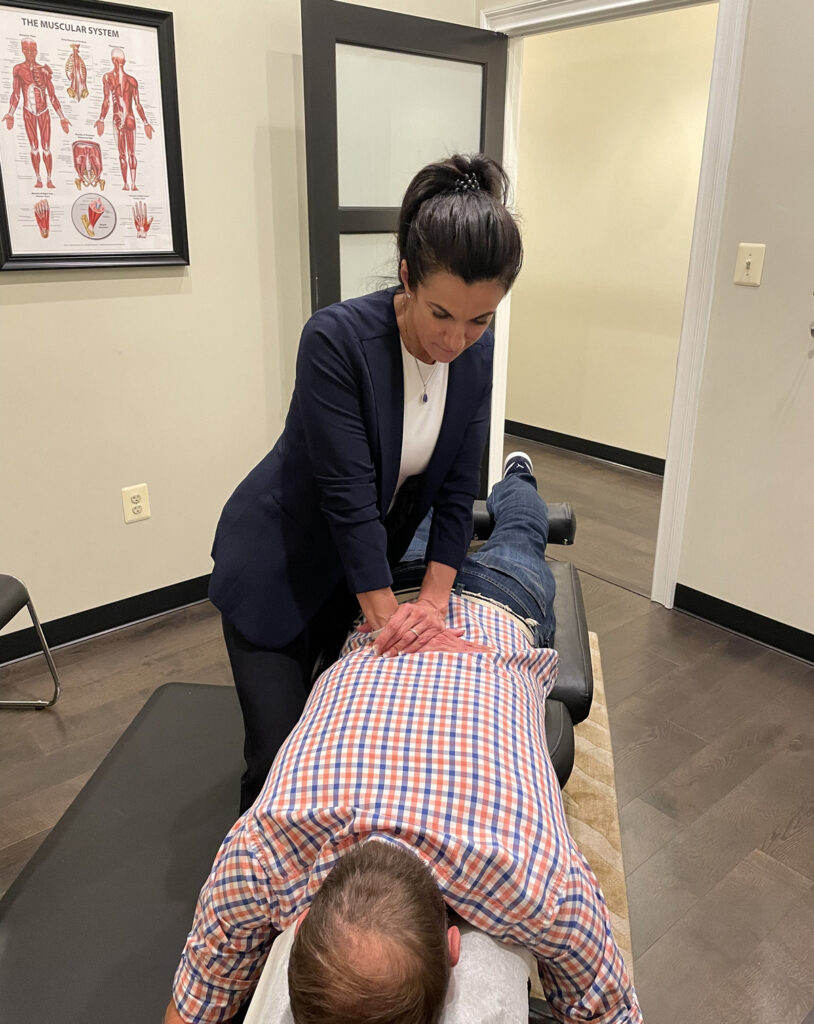

Improving your desk job posture is vital for both your health and productivity. Many people underestimate how their workspace setup can impact their comfort and concentration. As a chiropractor, I want to share some simple yet effective adjustments you can make to your chair, screen, and overall workspace that can significantly enhance your daily experience and reduce discomfort.
First, let’s talk about your chair. Make sure it provides adequate support for your lower back. A chair that encourages a natural curve in your spine can help prevent back pain, which is crucial for maintaining a healthy posture throughout your workday. Consider using a lumbar support cushion if your chair doesn’t offer enough support.
Next, pay attention to your screen height. Your monitor should be at eye level, so you don’t have to strain your neck to see it. This simple adjustment can help prevent neck pain and tension. If you find yourself leaning forward, it might be time to elevate your screen or invest in a monitor stand.
Another important aspect is your desk setup. Ensure that your keyboard and mouse are positioned so that your elbows remain close to your body and form an angle between 90 and 110 degrees. This position helps reduce strain on your wrists and arms, making it easier to work comfortably.
Don’t forget to take regular breaks! Stand up, stretch, and walk around every hour. This not only helps to alleviate tension but also promotes better blood circulation, which can enhance your overall well-being.
Finally, I encourage you to consider chiropractic care as part of your journey toward optimal health. Regular adjustments can help ensure that your spine remains aligned, reducing discomfort and enhancing your body’s natural ability to heal itself. By addressing any underlying issues, chiropractic care can support your efforts to maintain good posture and overall wellness.
In summary, by making these simple adjustments to your workspace and incorporating chiropractic care into your routine, you can create a healthier, more productive work environment. Remember, your posture matters, and taking steps today can lead to a more comfortable tomorrow!
Key Takeaways
Improve Desk Job Posture: A How-To Guide for Natural Wellness
As a local chiropractor, I’m here to share valuable tips on how to enhance your posture while working at a desk. Good posture is essential for spinal health and overall well-being, and making a few simple adjustments can lead to significant improvements in comfort and productivity. Let’s explore some easy ways to achieve optimal alignment and support your natural healing journey.
- Adjust Your Chair: Start by setting your chair height so that your feet are flat on the floor and your knees form a 90-degree angle. This alignment helps reduce strain on your spine and encourages proper posture throughout the day.
- Screen Positioning: Place your computer screen at or just below eye level, about an arm’s length away. This positioning minimizes neck strain and keeps your spine in a more balanced position, reducing the risk of discomfort.
- Take Micro Breaks: It’s important to take brief breaks every 30 minutes. Stand up, stretch, or walk around for a moment. These micro breaks not only alleviate tension but also improve circulation, promoting a healthier spine.
- Organize Your Workspace: A tidy workspace can greatly reduce distractions. Keeping your desk organized supports better posture and allows you to focus on your tasks without unnecessary strain.
- Regularly Check Your Posture: Throughout the day, take a moment to assess your posture. Keep your shoulders relaxed and back supported. A quick posture check can enhance your comfort and productivity, making it easier to stay engaged in your work.
By following these simple tips, you can significantly improve your desk job posture and support your spine’s health. Remember, chiropractic care is a natural and effective way to achieve optimal health, relieve pain, and enhance your overall well-being. If you’re experiencing discomfort, consider visiting a chiropractor for personalized guidance and support on your path to wellness.
Assess Your Current Posture
Assess Your Current Posture for Better Health
As a chiropractor, I often see how poor posture can lead to discomfort and even chronic pain. How often do you take a moment to check your posture while sitting at your desk? It’s all too easy to lose awareness of how you’re sitting, especially during those long hours of work.
Start by evaluating your body alignment. Your feet should be flat on the floor, with your knees forming a right angle. It’s important to keep your back straight and your shoulders relaxed—avoid hunching forward.
Also, pay attention to your head; it should be aligned with your spine, not leaning excessively forward. This simple adjustment can make a big difference in how you feel.
Another key aspect is the position of your computer screen. Ideally, it should be at eye level to help prevent neck strain. If you start to feel discomfort, that’s your body’s way of signaling that it’s time to adjust your posture. Just taking a few seconds to check in with your body can significantly enhance your comfort and productivity.
Remember, maintaining good posture isn’t just about looking good; it’s vital for your overall health and well-being. Chiropractic care can help you achieve and maintain optimal posture, reducing pain and promoting natural healing.
By focusing on spinal health, you can improve not just your posture, but also your overall health.
Adjust Your Chair Height
Adjusting your chair height is a crucial step in promoting good posture and overall comfort while you work, which can significantly impact your spinal health.
To begin, sit comfortably in your chair with your feet flat on the floor. Your knees should form a 90-degree angle, and your thighs should be parallel to the ground. If your chair is too high, your feet might dangle, leading to discomfort and strain, while a chair that’s too low can elevate your knees and place unnecessary pressure on your hips.
To find the right height for your chair, locate the lever underneath. While seated, pull the lever up or down until you reach a position that feels comfortable. After adjusting, ensure that your back is well-supported by the chair’s backrest. Proper alignment not only helps reduce fatigue but also prevents strain on your spine, which is essential for maintaining a healthy back.
Remember, your comfort directly influences your productivity and well-being. A well-adjusted chair allows you to focus on your tasks without the distraction of discomfort.
Additionally, regular chiropractic care can further enhance your spinal health, providing relief from pain and helping you achieve optimal wellness. By incorporating these simple adjustments and considering chiropractic support, you can foster a healthier work environment that promotes both comfort and overall health.
Position Your Computer Screen
To enhance your posture and overall spinal health, it’s crucial to position your computer screen correctly. Aim to have the top of the screen at or just below eye level, and place it about an arm’s length away from your face. This setup helps maintain a neutral position for your neck, which can prevent discomfort and strain.
Additionally, tilting the screen slightly backward can minimize glare, allowing you to work more comfortably and reducing the risk of eye strain. Remember, proper ergonomics can significantly contribute to your well-being by supporting your spine and reducing the likelihood of developing pain or discomfort.
As a chiropractor, I encourage you to take these simple steps to create a healthier workspace. Incorporating chiropractic care into your routine can further promote optimal health and wellness.
Optimal Screen Height
As a chiropractor, I want to emphasize the importance of your computer screen height in maintaining good spinal health, especially during those long hours at your desk. The way your screen is positioned can significantly impact your posture, and ultimately, your overall well-being. Ideally, your screen should be at eye level to prevent unnecessary strain on your neck and back. When your screen is too high or too low, you may find yourself leaning forward or tilting your head, which can lead to discomfort and potential long-term issues.
Here’s a simple guide for the ideal screen height and its effects on your posture:
| Screen Height | Ideal Position | Consequences |
|---|---|---|
| Too Low | Below eye level | Neck strain and discomfort |
| Ideal Height | At or slightly below eye level | Promotes good posture and spinal alignment |
| Too High | Above eye level | Shoulder tension and possible pain |
To maintain proper posture and support your spine, make sure to adjust your monitor to the right height. Here are a few additional tips to keep in mind:
- Take Breaks: Every 30 minutes, take a short break to stretch your neck and back. This helps relieve tension and promotes blood flow.
- Ergonomics Matter: Ensure your chair supports your lower back, and your feet are flat on the ground. Good ergonomics can make a big difference in your comfort.
- Listen to Your Body: If you start feeling discomfort, take it seriously. It’s a sign that your body needs a break or adjustment.
Distance From Eyes
In addition to screen height, the distance from your eyes to your computer screen is crucial for maintaining good posture and reducing eye strain, which can significantly impact your spinal health.
Ideally, your screen should be positioned about an arm’s length away, roughly 20 to 30 inches from your eyes. This distance allows your eyes to focus comfortably without unnecessary strain, which can lead to poor posture and discomfort in your neck and back.
Make sure the text on your screen is large enough to read without squinting, as straining your eyes can contribute to tension in the muscles of your neck and back.
If you find yourself leaning forward or squinting to see the screen clearly, it’s a sign that you may need to adjust the distance or consider using larger fonts.
Remember, maintaining the right distance from your screen not only enhances your comfort but also supports your overall wellness.
Good posture and eye care can improve your productivity and create a more enjoyable work experience.
If you experience discomfort or pain, consider consulting with a chiropractor who can provide tailored guidance and adjustments to help you achieve optimal health and well-being.
Angle of Screen
Positioning your computer screen at the right angle isn’t just about comfort; it’s also about supporting your spinal health and overall well-being. Ideally, your screen should be tilted slightly back, around 10 to 20 degrees. This angle helps reduce glare from overhead lights and windows, making it easier on your eyes and minimizing the strain on your neck.
To maintain a healthy posture while working, ensure the top of your screen is at or just below eye level. This position encourages you to keep your neck straight, which is crucial for avoiding discomfort and pain. When you look at the screen, aim for a slight downward gaze; this aligns your spine properly and helps prevent unnecessary tension in your muscles.
Remember to take a moment to adjust your screen’s position until it feels just right. A well-angled screen can make a significant difference in how you feel during those long hours at your desk.
Additionally, consider incorporating regular breaks into your work routine. Stand up, stretch, and take a few deep breaths to keep your body feeling good and to promote natural healing.
By making these simple adjustments, you’re not only enhancing your comfort and productivity but also taking important steps towards a healthier lifestyle.
Chiropractic care can further support your efforts by addressing any existing discomfort and helping you maintain optimal spinal health. Embrace these changes and your body will thank you!
Optimize Your Keyboard and Mouse Placement
To maintain a healthy posture and support your spine, it’s crucial to optimize the placement of your keyboard and mouse. Ensure they’re positioned at a height that allows your elbows to stay close to your body and your wrists to remain in a neutral position. This simple yet effective adjustment can significantly reduce strain on your muscles and joints, enhancing your overall comfort throughout the day.
Proper ergonomics is an important aspect of spinal health, and by making these adjustments, you can help prevent discomfort and pain that often leads people to seek chiropractic care. Remember, a well-aligned spine is key to optimal health and wellness.
Here are some additional tips to enhance your workspace:
- Chair Height: Adjust your chair so that your feet are flat on the ground, with your knees at or below hip level. This helps maintain proper spinal alignment.
- Screen Position: Your computer screen should be at eye level, about an arm’s length away, to prevent neck strain.
- Frequent Breaks: Take regular breaks to stand, stretch, and move around. This helps keep your muscles engaged and reduces tension.
- Mindful Posture: Be aware of your posture throughout the day. Sit back in your chair, keep your back straight, and avoid slouching.
By incorporating these practices into your daily routine, you can support your spine and overall well-being.
If you do experience discomfort, remember that chiropractic care is a natural and effective way to relieve pain and promote healing. Your body deserves the best support for a healthy and vibrant life!
Ideal Height Alignment
While many people overlook the significance of proper keyboard and mouse placement, achieving the right height alignment can greatly enhance your comfort and overall well-being.
As a chiropractor, I understand the importance of maintaining a healthy posture to support spinal health. Here are some simple tips to optimize your workspace for better comfort and productivity:
- Elbow Height: Aim for your elbows to form a 90-degree angle or slightly more when resting on your desk. Adjusting your chair height can help you achieve this position, which keeps your spine in a neutral alignment and reduces strain.
- Wrist Level: It’s important that your keyboard is positioned at or slightly below elbow height. This allows your wrists to stay in a neutral position, preventing unnecessary tension and discomfort that can lead to chronic pain.
- Mouse Proximity: Keep your mouse close to your keyboard, ideally at the same height. This minimizes reaching and allows for a more relaxed posture, which can contribute to better spinal alignment and less stress on your body.
By following these guidelines, you can create a more ergonomic workspace that not only enhances your productivity but also supports your spinal health.
Remember, maintaining a proper posture is crucial in preventing pain and discomfort, and chiropractic care is an excellent way to address any existing issues or imbalances.
Embrace these tips for a healthier, more comfortable work environment!
Proper Wrist Positioning
How can you ensure your wrists remain comfortable during those long hours at your desk? As a chiropractor, I want to emphasize the importance of proper wrist positioning to maintain overall health and prevent discomfort.
Start by aligning your keyboard and mouse at the same height as your elbows. This allows your wrists to stay straight, avoiding any awkward bending that could lead to strain. Consider using a wrist rest, but be cautious not to elevate your wrists too much, as this can create additional tension.
When you’re typing, try to keep your hands relaxed and hovering just above the keys. This light posture can help reduce unnecessary pressure on your wrists. For mouse usage, position your mouse close enough so that you don’t have to stretch your arm too far, minimizing strain on your joints.
Additionally, it’s essential to take breaks every 30 minutes to stretch your hands and wrists. Simple stretches can help relieve tension and promote better circulation.
By creating an ergonomic workspace and incorporating these habits, you can enhance your comfort and support your overall well-being. Remember, chiropractic care can also be a valuable resource for addressing any discomfort and achieving optimal health naturally.
Prioritize your spinal health, and you’ll be well on your way to a more comfortable work experience!
Utilize Ergonomic Accessories
Utilizing ergonomic accessories is an excellent way to enhance your comfort and productivity at your desk, and it plays a crucial role in supporting your spine health.
As a local chiropractor, I want to emphasize how these tools can help reduce strain and promote a healthier work environment, ultimately contributing to your overall well-being.
Here are three essential ergonomic accessories you should consider incorporating into your workspace:
1. Ergonomic Chair: Choosing a chair that supports your lower back is vital for maintaining proper posture during those long hours of sitting. A well-designed ergonomic chair helps keep your spine aligned, reducing discomfort and the risk of developing chronic pain.
Remember, a healthy spine is key to a healthy life!
2. Keyboard and Mouse: Using a split keyboard and an ergonomic mouse can significantly benefit your wrist health. These tools promote a more natural wrist position, which helps minimize the risk of repetitive strain injuries that can lead to long-term issues.
By reducing strain on your wrists, you’ll be taking a proactive step towards preventing pain and supporting your overall spinal health.
3. Monitor Stand: Elevating your computer screen to eye level with a monitor stand can help prevent neck strain, encouraging better posture. When your screen is at the right height, it promotes a more aligned position for your spine, which can help alleviate discomfort and enhance your focus.
Incorporating these ergonomic accessories into your workspace is a simple yet effective way to support your spinal health and overall wellness.
Alongside these changes, regular chiropractic care can further enhance your comfort and aid in maintaining optimal health.
Take Regular Breaks
Taking regular breaks is crucial for maintaining your posture and overall well-being, especially during those long hours spent at your desk. When you sit for extended periods, your muscles can tighten, leading to discomfort and poor posture—issues that chiropractic care can help address. By stepping away from your workstation periodically, you allow your body to reset and relieve tension, which is key to maintaining a healthy spine.
Here’s a simple break schedule that can help you incorporate movement into your day:
| Break Type | Duration | Frequency |
|---|---|---|
| Micro Break | 1-2 minutes | Every 30 minutes |
| Short Break | 5 minutes | Every hour |
| Extended Break | 15 minutes | Every 2 hours |
| Movement Break | 5 minutes | Every hour |
| Hydration Break | 2 minutes | Every hour |
During these breaks, consider doing some light stretching or gentle movements to keep your muscles engaged. This is not just good for your posture; it can also enhance your productivity. Regular movement can stimulate blood flow and help prevent the discomfort that often leads to misalignments in the spine.
Incorporate Stretching and Mobility Exercises
Incorporating stretching and mobility exercises into your daily routine isn’t just a great way to improve your posture and comfort at your desk—it’s also an essential part of maintaining a healthy spine and overall wellness.
As a chiropractor, I want to emphasize that these simple movements can help alleviate tension, enhance flexibility, and prevent stiffness, all of which contribute to a healthier back and body.
Here are some effective stretches and mobility exercises that you can easily integrate into your workday:
- Neck Stretches: Gently tilt your head to one side, bringing your ear towards your shoulder. Hold for 15-30 seconds and switch sides. This can help reduce neck tension, which is common if you spend long hours at a desk.
- Shoulder Rolls: Sit or stand with your arms by your sides. Roll your shoulders forward in a circular motion for 10 repetitions, then reverse and roll them backward. This exercise helps relieve shoulder stiffness and improve circulation.
- Chest Opener: Stand or sit up straight, clasp your hands behind your back, and gently pull your shoulders back while lifting your chest. Hold for 15-30 seconds. This stretch counteracts the forward hunch that often comes with desk work.
- Seated Torso Twist: While seated, place one hand on the back of your chair and twist your torso gently towards that side. Hold for 15-30 seconds and switch sides. This helps maintain spinal mobility and can relieve tension in your back.
- Wrist and Finger Stretches: Extend one arm out, palm up, and gently pull back on your fingers with the other hand. Hold for 15 seconds, then switch. This is particularly helpful for those who spend a lot of time typing.
- Standing Hamstring Stretch: Stand up and place one foot on an elevated surface (like a chair). Keep your leg straight and lean forward slightly to feel a stretch in the back of your thigh. Hold for 15-30 seconds on each leg. This can help alleviate lower back tension.
Remember, these exercises not only promote flexibility but also serve as a reminder to listen to your body.
Regularly incorporating these movements can be a natural way to support your spine and overall health.
If you ever experience persistent pain or discomfort, chiropractic care is a natural and effective option to consider. A chiropractor can help identify underlying issues, provide personalized treatment plans, and guide you on maintaining optimal spinal health.
Your journey to wellness starts with small, consistent steps—so take a moment each day to stretch and move, and your body will thank you!
Benefits of Stretching
While many people underestimate the power of stretching, incorporating mobility exercises into your daily routine can significantly enhance your overall well-being and spinal health. Stretching isn’t just about flexibility; it offers several key benefits that can improve your work life and promote natural healing.
- Reduces Muscle Tension: Regular stretching helps alleviate tightness in your muscles and spine, which can prevent discomfort during long hours at your desk. This is especially important as poor posture can lead to misalignments that a chiropractor can help correct.
- Increases Blood Circulation: Improved circulation means that more oxygen and nutrients reach your muscles, which can boost your energy and focus throughout the day. This enhanced blood flow also supports spinal health by nourishing the discs and tissues around your spine.
- Enhances Posture: Stretching plays a vital role in aligning your body properly, making it easier to maintain a healthy posture while sitting. Good posture not only helps you feel better but also reduces the strain on your spine, which can lead to fewer visits to the chiropractor.
Incorporating stretching into your daily routine is a simple yet effective way to promote natural wellness. Here are a few tips to get you started:
- Set a Reminder: Take breaks every hour to do a few stretches. This can help prevent stiffness and maintain mobility.
- Focus on Key Areas: Pay attention to your neck, shoulders, and lower back, as these areas are often affected by prolonged sitting.
- Stay Consistent: Make stretching a part of your daily routine, just like brushing your teeth. Consistency is key for long-term benefits.
Recommended Mobility Exercises
To maintain good posture and alleviate discomfort during long hours at your desk, incorporating a variety of mobility exercises into your daily routine can be incredibly beneficial for your spine and overall wellness. As a chiropractor, I emphasize the importance of these gentle movements to enhance your natural healing and promote a healthier lifestyle.
Start with neck rolls to release tension in your cervical spine; gently roll your head from side to side, allowing your muscles to relax. Next, perform shoulder shrugs to relieve stress in your upper back; lift your shoulders toward your ears and then let them drop down.
For your mid and lower back, seated twists can be very effective: sit up tall, place one hand on the back of your chair, and gently rotate your torso, creating a natural stretch. Don’t forget about your hips, which play a crucial role in your overall posture.
Try some seated leg extensions and ankle circles to improve circulation and mobility in this area. Finally, take a moment to stand up and stretch your arms overhead, reaching for the ceiling to elongate your spine.
These simple movements not only keep you flexible but also help reduce strain and discomfort, promoting optimal spinal health. Remember, regular chiropractic adjustments can further enhance your well-being by ensuring your spine is aligned, allowing your body to heal naturally.
Incorporating these exercises into your daily routine, along with chiropractic care, can lead to a pain-free and healthier life.
Daily Stretching Routines
Creating a daily stretching routine is essential for maintaining a healthy spine and overall comfort, especially if you spend long hours at your desk. Simple stretches not only help keep your muscles flexible but also reduce tension, which can ultimately lead to better posture and well-being.
Here are three effective stretches you can easily incorporate into your day:
- Neck Stretch: Start by gently tilting your head to one side, holding the position for 15-30 seconds before switching sides. This simple stretch can relieve tension in your neck, which is crucial for preventing discomfort and maintaining spinal health.
- Shoulder Rolls: To alleviate tightness in your upper back, sit up straight and roll your shoulders forward and backward for 10 repetitions each. This movement helps improve circulation and can enhance your overall range of motion, contributing to a healthier spine.
- Seated Forward Bend: While sitting in your chair, reach toward your toes and hold the stretch for 15-30 seconds. This stretch not only elongates your spine but also stretches your hamstrings, promoting flexibility and reducing the risk of injury.
By integrating these stretches into your daily routine, you can significantly enhance your posture and comfort at your desk.
Maintain Proper Foot Positioning
Proper foot positioning is crucial for maintaining comfort and support during those long hours at your desk, and it can significantly impact your overall spinal health. By keeping your feet flat on the floor and ensuring your knees form a 90-degree angle, you’re not only promoting good posture but also supporting your spine’s natural alignment.
If your feet don’t quite reach the ground, don’t hesitate to use a footrest. This simple adjustment can help improve circulation and relieve pressure on your legs, allowing you to feel more at ease while working.
Be mindful of crossing your legs, as this can lead to discomfort and misalignment in your spine over time. Instead, let your feet rest naturally, shoulder-width apart. Positioning your heels slightly back from the edge of your chair provides added stability, which is essential for maintaining a healthy spine.
Remember to take regular breaks to stand up and stretch. This practice not only alleviates pressure on your legs but also encourages better blood flow, which is vital for your overall well-being.
By prioritizing proper foot positioning, you lay a strong foundation for your posture, enhancing comfort and productivity during those long hours at your desk.
Ultimately, integrating these small adjustments into your daily routine can make a big difference in your spinal health. If you’re experiencing discomfort or have concerns about your posture, consider consulting with a chiropractor. Chiropractic care focuses on natural healing and can provide personalized strategies to help you achieve optimal health and well-being.
Embrace these tips for healthier living and take charge of your comfort at your desk today!
Create an Organized Workspace
An organized workspace can significantly improve your productivity and focus, which is vital for maintaining a healthy spine and overall well-being. When your environment is clutter-free, it’s easier to concentrate on your tasks, reducing stress and tension that can lead to discomfort.
Here are three simple ways to create an organized workspace that supports your health:
- Declutter Regularly: Spend a few minutes each day clearing unnecessary items from your desk. Keeping only what you need can help reduce mental clutter and physical strain. This practice not only creates a more inviting space but also minimizes distractions that could lead to poor posture or increased tension in your back.
- Use Organizers: Invest in drawer organizers, file holders, or desktop trays. These tools can help you keep your materials sorted and easily accessible. A well-organized space reduces the chance of reaching awkwardly for items, which can strain your spine. By creating a more ergonomic setup, you support your body’s natural alignment.
- Cable Management: Tidy up cables and chargers with clips or ties. A neat workspace not only looks professional but also helps prevent tripping hazards and distractions. Keeping your area organized can encourage you to maintain good posture while working, as you won’t be leaning awkwardly to untangle cords.
By creating an organized workspace, you not only enhance your productivity but also promote better spinal health and overall wellness.
Stay Mindful of Your Posture Throughout the Day
How often do you pause to assess your posture while working? Being mindful of your posture throughout the day is vital for your overall comfort and spinal health. As a chiropractor, I cannot stress enough how important it is to maintain proper alignment to prevent discomfort and promote natural healing. Consider setting reminders on your phone or computer to encourage you to check your posture regularly. Aim to evaluate your alignment every hour.
| Good Posture | Poor Posture |
|---|---|
| Feet flat on the floor | Legs crossed or tucked |
| Shoulders relaxed | Shoulders hunched |
| Screen at eye level | Screen too high or low |
By focusing on these cues, you’ll gradually develop a greater awareness of your body. Small adjustments can lead to significant improvements in your well-being. If you catch yourself slouching, take a moment to realign. This practice not only boosts your productivity but also helps in preventing discomfort or strain.