
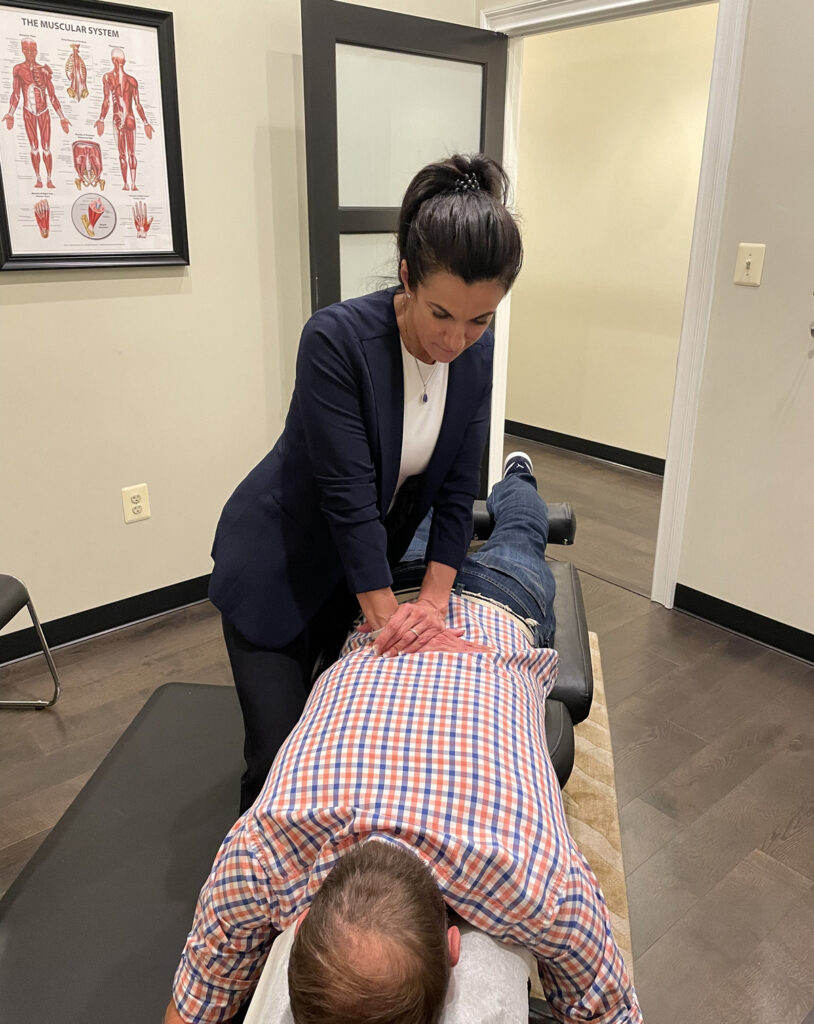

If you spend most of your workday sitting at a desk, you already know that nagging ache that creeps into your lower back by mid-afternoon. It might start as a mild stiffness, but over time, it can turn into something that follows you home, disrupts your sleep, and makes even simple tasks feel uncomfortable. Back pain at work is one of the most common complaints Dr. Christine Stewart hears from patients who walk through the doors at Wilderness Family Chiropractic in Fredericksburg, VA — and the good news is that much of it is preventable.
In this article, we’re going to break down why office environments can be so hard on your spine, what you can do to protect yourself, and how chiropractic care fits into the bigger picture of staying pain-free at work. Whether you’ve been dealing with discomfort for years or you’re just starting to notice some tightness, this guide is for you.
What Is Work-Related Back Pain?
Work-related back pain refers to discomfort, stiffness, or pain in the back — particularly the lower back — that is caused or aggravated by the conditions of your job. For office workers, this is most often tied to prolonged sitting, poor posture, and a workspace that doesn’t support the natural curves of the spine.
Why Sitting So Much Hurts Your Back
It might seem strange that sitting — something that looks completely passive — could cause so much damage to your body. But the spine is designed for movement. When you hold one position for an extended period, the muscles supporting your spine begin to fatigue, your posture gradually collapses, and certain structures in your back start to bear load in ways they were never meant to.
Research suggests that prolonged sitting increases pressure on the lumbar discs — the soft cushions between your vertebrae — significantly more than standing does. Over the course of a full workday, this repeated mechanical stress can contribute to disc irritation, muscle tension, and even nerve involvement. The lower back, or lumbar spine, tends to take the biggest hit because it naturally has an inward curve that becomes flattened when you slouch in a chair.
Here in Fredericksburg, VA, many of the patients Dr. Christine Stewart sees at Wilderness Family Chiropractic are professionals who work long hours at computers and don’t realize how much their workspace is contributing to their pain. The connection between their daily work habits and their physical symptoms is often a lightbulb moment in the consultation room.

Common Causes of Office-Related Back Pain
Understanding what’s actually driving your discomfort is the first step toward fixing it. While every person is different, there are some very consistent culprits that show up again and again in office environments.
Poor posture is at the top of the list. When your head drifts forward toward the screen, your shoulders round, and your lower back flattens out or curves excessively, your spine is under constant strain. This position is sometimes called “tech neck” posture, and its effects extend well below the neck into the mid and lower back.
A workstation that hasn’t been set up with your body in mind is another major contributor. A monitor that’s too low, a chair that doesn’t support your lumbar curve, a keyboard placed too far away — each of these seemingly small details adds up to hours of cumulative stress on your spine every week. Over months and years, that stress becomes symptoms.
Lack of movement throughout the day compounds everything. When you stay in one position for too long, circulation decreases, muscles tighten, and your body loses its natural ability to self-correct. Even a perfectly ergonomic setup can’t fully compensate for not moving enough.
How to Set Up an Ergonomic Workstation
The word “ergonomics” simply means designing your environment to fit your body — rather than forcing your body to adapt to your environment. A well-designed workstation can dramatically reduce the physical stress your spine absorbs during a workday. Here’s what to focus on.
Your Chair: Your chair is arguably the most important piece of equipment at your desk. It should support the natural inward curve of your lower back. If your chair lacks adequate lumbar support, a small rolled towel or a dedicated lumbar cushion placed at the small of your back can make a meaningful difference. Your feet should rest flat on the floor, with your hips at roughly a 90-degree angle — or slightly more open, which actually reduces lumbar pressure compared to a sharp 90.
Your Monitor: The top of your screen should be at or just slightly below eye level when you’re sitting upright. If you’re constantly looking down at a laptop screen, your head — which weighs around 10 to 12 pounds — is pulling your entire cervical and thoracic spine forward. Over time, this forward head posture has a cascading effect on the rest of the back. Raising your monitor or using a laptop stand is one of the simplest and most effective changes you can make.
Your Keyboard and Mouse: Your keyboard should be positioned so that your elbows are bent at roughly 90 degrees and your wrists are neutral — not bent up or down. Keep your mouse close enough that you don’t have to reach or stretch. Reaching forward repeatedly engages the shoulder and upper back muscles unnecessarily, contributing to tension that works its way down the spine.
Your Desk Height: Ideally, your desk should allow you to sit upright with your arms resting comfortably in the position described above. If you’re working from home in Fredericksburg with a fixed desk that’s too high or too low, adjusting your chair height and using a footrest if needed can help compensate.
|
Workstation Element |
Common Mistake |
Ergonomic Correction |
|---|---|---|
|
Chair Height |
Too low, causing hips to drop below knees |
Adjust so hips are level with or slightly above knees, feet flat on floor |
|
Monitor Position |
Too low, causing the head to tilt downward |
Top of screen at or just below eye level when sitting upright |
|
Lumbar Support |
Chair back doesn’t fill the lumbar curve |
Use built-in lumbar support or add a lumbar cushion/rolled towel |
|
Keyboard & Mouse |
Too far forward, causing reaching and shoulder tension |
Keep close, elbows at 90°, wrists neutral |
|
Sitting Duration |
Sitting for hours without any breaks |
Stand, stretch, or walk briefly every 30–45 minutes |
How Chiropractic Care Fits In
Even with the best ergonomic setup in the world, your spine still benefits from professional attention — especially if you’ve already been dealing with discomfort. Chiropractic care takes a hands-on, non-invasive approach to addressing the underlying structural issues that cause back pain at work.
At Wilderness Family Chiropractic in Fredericksburg, VA, Dr. Christine Stewart evaluates not just where you hurt, but why you hurt. That means looking at spinal alignment, joint mobility, muscle balance, and how your daily habits are affecting your posture and nerve function. Chiropractic adjustments help restore proper movement to joints that have become restricted or misaligned — which is extremely common in people who sit for long periods without adequate support.
Beyond adjustments, chiropractic care often includes guidance on posture correction, movement strategies, and rehabilitative exercises tailored to your specific situation. The goal isn’t simply to reduce your pain in the short term — it’s to give your body what it needs to stay well over the long haul. Evidence from organizations like the American College of Physicians and the National Institutes of Health indicates that spinal manipulation is a reasonable first-line, non-drug approach for many cases of musculoskeletal back pain.
One of the things that makes chiropractic care especially well-suited for work-related back pain is that it addresses the root cause rather than masking symptoms. Taking over-the-counter pain relievers to get through the workday might offer temporary relief, but it doesn’t fix the posture, the muscle imbalance, or the joint restriction that’s generating the problem in the first place.
Practical Tips to Protect Your Back Every Day
Small, consistent habits make a bigger difference than any single dramatic change. Here are some approaches that Dr. Christine Stewart often recommends to patients managing back pain from desk work.
Take movement breaks intentionally. Set a timer on your phone or computer to remind you to stand up every 30 to 45 minutes. You don’t need a long break — even 60 to 90 seconds of standing, walking to get water, or doing a simple hip flexor stretch is enough to reset your posture and relieve accumulated disc pressure. Think of movement as medicine your body needs throughout the day, not just before and after work.
Check your posture throughout the day — not just once in the morning. Most people start their day sitting fairly upright and then gradually drift into a slouch as the hours pass. A simple check is to notice where your head is relative to your shoulders. If your chin is jutting forward, gently draw it back. Sit tall from the base of your spine, not just by pulling your shoulders back.
Strengthen the muscles that support your spine outside of work hours. A strong core — which includes not just your abdominals but your deep spinal muscles and glutes — dramatically reduces the burden your spine carries during a long workday. Activities like walking, yoga, swimming, and targeted core exercises can all support spinal health when done consistently.
Pay attention to your footwear if you’re standing at a desk. Standing desks are increasingly popular, and they can be beneficial — but only if you’re not standing on hard surfaces in unsupportive shoes for hours at a time. An anti-fatigue mat and supportive footwear make a real difference.
When to See a Chiropractor
Some degree of muscle fatigue and stiffness after a long work week is normal. But there are signs that what you’re experiencing has moved beyond everyday tiredness and warrants professional evaluation.
If your back pain is consistently present on most workdays, if it lingers into your evenings or weekends, or if it’s beginning to affect your ability to concentrate or be productive, those are meaningful signals. Pain that has been present for more than a few weeks without improvement — especially if you’ve already tried adjusting your workstation and taking movement breaks — is worth bringing to a chiropractor.
There are also certain symptoms that should prompt a more urgent evaluation, including pain that radiates down one or both legs, numbness or tingling in the legs or feet, significant weakness, or any loss of bladder or bowel control. The last symptom in particular requires immediate medical attention. For most other presentations, a chiropractor like Dr. Christine Stewart at Wilderness Family Chiropractic is an excellent first point of contact — and will refer you out if your case requires imaging or a different type of specialist.
Myths vs. Facts About Back Pain at Work
Myth: Sitting up perfectly straight is always best for your back.
Fact: Sitting rigidly upright with a forced 90-degree posture can actually increase tension in the back muscles. Research suggests that a slightly reclined seated position — around 100 to 110 degrees — may actually reduce lumbar disc pressure more than a perfectly vertical posture. The goal is supported, comfortable alignment, not military rigidity.
Myth: Back pain at work means something is seriously wrong with your spine.
Fact: The vast majority of work-related back pain is mechanical in nature, meaning it stems from how the body is being used and positioned — not from structural damage. This type of pain responds very well to conservative care, ergonomic changes, movement, and chiropractic treatment without any need for surgery or long-term medication.
Myth: You should rest and avoid movement when your back hurts.
Fact: While extreme acute pain may warrant brief rest, evidence strongly supports gentle movement and staying active as more effective approaches for most types of back pain. Prolonged bed rest or complete inactivity tends to worsen outcomes and slow recovery. Controlled, appropriate movement helps restore function and reduce inflammation.
Myth: Standing desks will eliminate back pain.
Fact: Standing desks can help break up prolonged sitting and reduce lumbar disc pressure — but standing for long periods without movement or proper footwear creates its own problems. The most effective approach alternates between sitting, standing, and moving throughout the day, rather than simply replacing one static position with another.
Myth: Chiropractic adjustments are only for acute injuries.
Fact: Chiropractic care is just as relevant for chronic, recurring, and preventive care as it is for acute injuries. Many patients at Wilderness Family Chiropractic in Fredericksburg, VA see Dr. Christine Stewart regularly not because they are in crisis, but because consistent care helps them maintain better spinal health, posture, and overall function over time.

Final Thoughts
Back pain at work is incredibly common — but it is not something you simply have to accept as the price of having a desk job. The combination of thoughtful ergonomic adjustments, smart movement habits throughout the day, and professional chiropractic care creates a powerful foundation for a healthier, more comfortable work life.
Here at Wilderness Family Chiropractic in Fredericksburg, VA, Dr. Christine Stewart and our team genuinely care about helping members of this community feel their best — not just on days when they come in, but every day in between. We take the time to understand your lifestyle, your work environment, and your individual spinal health so that the care we provide actually makes a lasting difference.
If you’re tired of fighting through workday back pain and you’re ready to do something about it, we’d love to help you get started. Fredericksburg has a wonderful, hardworking community, and nobody should have to spend their days uncomfortable. You deserve to feel well — and with the right support, that’s absolutely achievable.
Frequently Asked Questions
How long does it take to notice improvement from ergonomic changes?
Many people notice a reduction in tension and discomfort within one to two weeks of making consistent ergonomic improvements. However, if your back pain has been present for a longer period, structural issues may have developed that require professional care in addition to workstation changes.
Can a chiropractor help with back pain caused by sitting at a desk all day?
Yes. Chiropractic care is well-suited for addressing the joint restrictions, postural imbalances, and muscle tension that develop from prolonged sitting. At Wilderness Family Chiropractic, Dr. Christine Stewart evaluates your spine and provides individualized care to address the specific patterns contributing to your discomfort.
Is it normal for back pain to get worse at the end of the workday?
It is common for discomfort to build throughout the day as the effects of prolonged sitting accumulate. However, if it is happening consistently, that is a sign your spine is under more stress than it can easily recover from, and it’s worth having it evaluated by a chiropractor.
Should I use a standing desk if I have back pain?
A standing desk can be a helpful tool, but it works best when combined with regular position changes, appropriate footwear, and an anti-fatigue mat. It is not a standalone solution — and for some people, it can create new problems if used improperly.
What exercises are good for preventing back pain from desk work?
Walking, swimming, yoga, and targeted core strengthening exercises are all supported by general evidence as beneficial for spinal health. Dr. Christine Stewart at Wilderness Family Chiropractic can provide personalized guidance on movement and exercise strategies that are appropriate for your specific condition.
How often should I take breaks from sitting at my desk?
Most evidence points to taking a brief movement break every 30 to 45 minutes as a reasonable guideline. Even standing and stretching for 60 to 90 seconds can meaningfully reduce the cumulative load on your lumbar discs over the course of a full workday.
TL;DR
-
Back pain at work is most often caused by prolonged sitting, poor posture, and an ergonomically inadequate workstation — not necessarily a serious injury.
-
Simple workstation adjustments — monitor height, chair support, keyboard placement — can significantly reduce daily spinal stress.
-
Taking brief movement breaks every 30 to 45 minutes is one of the most effective and underused strategies for preventing desk-related back pain.
-
Chiropractic care addresses the root causes of back pain — joint restriction, postural imbalance, and muscle tension — rather than just managing symptoms.
-
If your back pain is consistent, worsening, or affecting your daily life, it’s time to schedule an evaluation with a chiropractor like Dr. Christine Stewart at Wilderness Family Chiropractic in Fredericksburg, VA.