
If you find yourself spending long hours at a desk, you might notice how easily poor posture can sneak up on you, affecting your health and comfort. This isn’t just a minor inconvenience; over time, it can lead to significant issues, including chronic pain and discomfort. Thankfully, there are effective strategies you can incorporate into your daily routine to enhance your posture and boost your overall well-being—many of which align seamlessly with chiropractic care.
As a chiropractor, I believe that maintaining proper posture is crucial for spinal health and overall wellness. Here are some practical solutions to consider that can make a noticeable difference in how you feel every day:
- Ergonomic Workspace: Adjust your desk and chair to promote a neutral spine position. Your chair should support your lower back, and your computer screen should be at eye level to avoid straining your neck.
- Regular Breaks: Take short breaks every 30 minutes to stand, stretch, and move around. This simple habit can relieve tension and prevent stiffness, which is essential for maintaining a healthy spine.
- Stretching and Strengthening: Incorporate stretches and exercises that target your neck, shoulders, and back. Strengthening your core muscles can also provide better support for your spine.
- Mindful Sitting: Be conscious of how you sit. Keep your feet flat on the floor, your knees at a right angle, and remember to avoid crossing your legs, which can lead to imbalances in your posture.
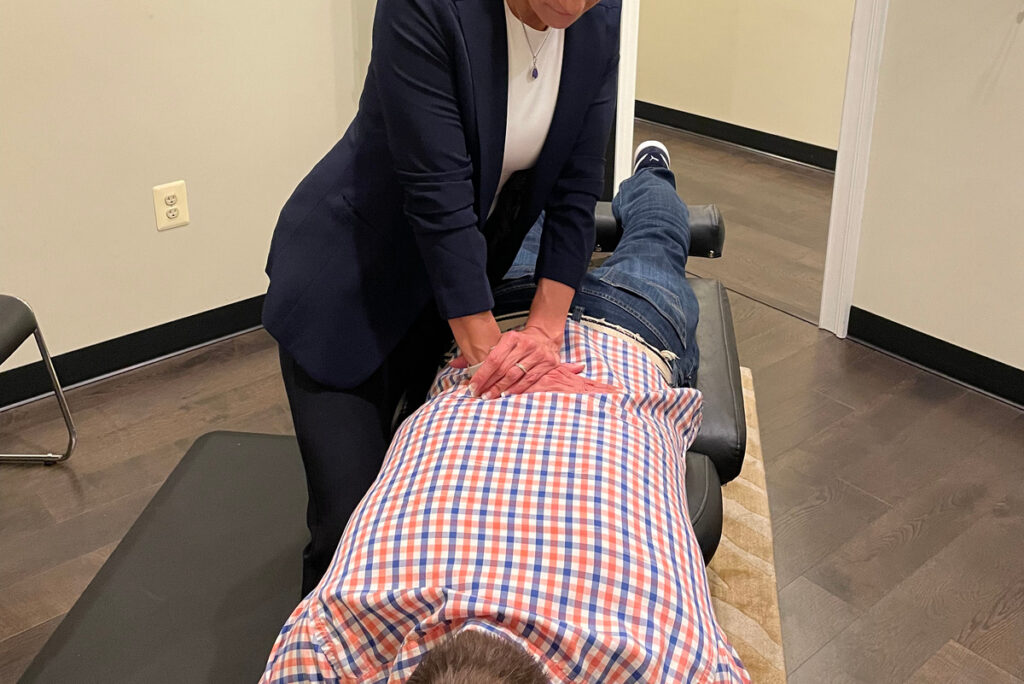
- Chiropractic Adjustments: Regular visits to your chiropractor can help correct misalignments, relieve pain, and ensure that your spine is functioning optimally. Chiropractic care is a natural, non-invasive way to enhance your overall health.
- Hydration and Nutrition: Staying well-hydrated and eating a balanced diet can help maintain your energy levels and overall health, which contributes to better posture.
- Posture Reminders: Consider using reminders, such as sticky notes or smartphone alerts, to check your posture throughout the day. This can help reinforce good habits over time.
By integrating these tips into your daily routine, you can significantly improve your posture and overall health. Remember, chiropractic care is a powerful ally in your journey to wellness. It not only addresses pain but also promotes a healthy spine and body, enhancing your quality of life. Embrace these solutions, and you’ll be on your way to a more comfortable and healthier work experience!
Key Takeaways
Here are some helpful tips to improve your desk job posture and enhance your overall well-being, with an emphasis on the benefits of chiropractic care:
- Invest in an Ergonomic Chair: Choose a chair designed to support your spine’s natural alignment. An ergonomic chair with lumbar support can significantly reduce back strain and promote better posture, which is essential for overall spinal health. Regular chiropractic adjustments can further enhance this support.
- Position Your Desk and Monitor Correctly: Ensure that your desk and monitor are set at the right height. Your elbows should form a 90-degree angle when typing, and your monitor should be at eye level to prevent neck strain. Maintaining this alignment can help prevent discomfort and improve your focus, and chiropractic care can help address any misalignments that may arise from poor posture.
- Keyboard and Mouse Placement: Keep your keyboard and mouse at elbow height to ensure your wrists remain straight. This simple adjustment can help avoid repetitive strain injuries, which are common in desk jobs. Regular visits to a chiropractor can assist in addressing any discomfort that arises from prolonged computer use.
- Take Regular Breaks: It’s crucial to take breaks to stretch and walk around. This practice not only relieves muscle tension but also improves circulation, which is vital for spinal health. Incorporating these breaks into your routine can enhance your productivity and overall well-being.
- Consider a Standing or Treadmill Desk: Alternating between sitting and standing can boost your energy levels and productivity throughout the day. This change can also help reduce the risk of pain associated with prolonged sitting. Chiropractors often recommend such practices to promote a healthier lifestyle and support spinal integrity.
Remember, incorporating these tips into your daily routine can make a significant difference in your posture and overall health. And if you experience any discomfort or pain, chiropractic care is a natural and effective way to find relief and promote wellness. Your spine deserves the best care!
Invest in an Ergonomic Chair
Investing in an ergonomic chair is crucial for anyone looking to maintain comfort and support during long hours at their desk. As a chiropractor, I often see the impact that poor seating can have on spinal health. An ergonomic chair is designed to support your body’s natural posture, helping to reduce strain on your spine and muscles. When you make the switch, you may notice a remarkable improvement in how you feel by the end of the day.
Look for features that promote proper alignment, such as adjustable seat height, lumbar support, and customizable armrests. These elements are essential for creating a workspace that encourages healthy posture and minimizes discomfort.
Using the right ergonomic chair can greatly enhance your productivity and focus. When your body is well-supported, you’re less likely to be distracted by discomfort or pain. It’s important to remember that maintaining proper alignment is key to reducing the risk of developing chronic pain, which is something I frequently address in my practice.
As you explore your options for ergonomic seating, take the time to try different chairs and find one that feels right for you. Your body will appreciate the investment, and you’ll find that you can approach your work with renewed energy and comfort.
In addition to choosing the right chair, consider incorporating regular chiropractic care into your wellness routine. Chiropractic adjustments can help maintain spinal health and relieve tension that builds up from sitting for prolonged periods.
Simple habits, like taking breaks to stand, stretch, or walk around, can also help keep your spine healthy and your body feeling good. Your journey to optimal health starts with small, mindful choices!
Adjust Your Desk Height
Adjust Your Desk Height for Better Health
As a chiropractor, I want to emphasize the importance of maintaining good posture while you work. One of the simplest yet most effective ways to support your spine and overall health is by adjusting your desk height. Your desk should be at a level that allows your elbows to rest comfortably at a 90-degree angle when sitting in your ergonomic chair. This position helps to reduce unnecessary strain on your back and shoulders.
Additionally, it’s vital to ensure your monitor is positioned at eye level. This adjustment can significantly alleviate tension in your neck and eyes, promoting better spinal alignment and comfort throughout your workday.
Remember, caring for your spine isn’t just about treatment; it’s about prevention. By making these small adjustments to your workspace, you can support your body’s natural alignment and reduce the risk of pain.
Incorporating regular movement breaks and gentle stretches into your routine can also enhance your well-being.
Chiropractic care is an excellent way to achieve optimal health and natural pain relief. By prioritizing your posture and making these adjustments, you’ll be taking significant steps toward a healthier and more comfortable work environment. Your spine will thank you!
Optimal Desk Height Range
Finding the right desk height is essential for your comfort, productivity, and overall spinal health. A well-positioned desk can significantly reduce strain on your back and neck, which is crucial for maintaining optimal wellness. Ideally, your desk should be set at a height that allows your elbows to form a 90-degree angle while typing. For most individuals, this translates to a desk height of 28 to 30 inches, but don’t hesitate to adjust it based on your height.
If you’re shorter or taller, you may require a desk that’s slightly higher or lower to ensure your body is in a natural, relaxed position.
When sitting, ensure that your feet are flat on the floor, which helps keep your knees at a right angle. This position promotes good circulation and reduces the risk of discomfort, which can lead to more serious issues over time. Remember, poor posture can contribute to spinal misalignments, which is where chiropractic care comes in. Regular adjustments can help address these misalignments and keep your spine healthy.
Consider investing in an adjustable desk to accommodate your needs throughout the day. Not only does this allow for better posture while sitting, but it also enables you to alternate between sitting and standing, further promoting a healthier work environment.
By prioritizing the right desk height and maintaining good posture, you can enhance your focus and minimize discomfort. If you ever experience persistent pain or strain, remember that chiropractic care is a natural and effective way to help relieve pain and promote overall wellness.
Your spine deserves the best care, and small adjustments in your workspace can lead to significant improvements in your health.
Ergonomic Chair Alignment
As a local chiropractor, I can’t stress enough the importance of proper alignment in your ergonomic chair. It’s essential not just for comfort but also for your overall health and wellness. When your chair is set up correctly, it can significantly enhance your productivity and help prevent discomfort or pain, especially in your back.
To ensure your chair supports your spine and posture effectively, make these simple adjustments:
- Chair Height: Adjust your chair so that your feet rest flat on the floor, with your knees at a 90-degree angle. This position reduces strain on your lower back and promotes a healthier spine.
- Seat Depth: There should be 2-4 fingers of space between the edge of the seat and the back of your knees. This allows your thighs to be well-supported, which is crucial for maintaining proper posture and preventing discomfort.
- Armrest Height: Adjust your armrests so that your elbows are at a 90-degree angle. This prevents unnecessary tension in your shoulders and contributes to a more relaxed upper body.
- Lumbar Support: Make sure the lumbar support of your chair follows the natural curve of your spine. Proper lumbar support alleviates pressure on your lower back, which can help prevent pain and promote better spinal alignment.
By making these adjustments, you’ll not only enhance your comfort but also support your spinal health.
Remember, a well-aligned chair can complement chiropractic care, which is the best choice for achieving optimal health and natural pain relief. If you’re experiencing discomfort, consider visiting a chiropractor who can provide personalized recommendations and care tailored to your needs.
Take these tips to heart, and you might just find that a few simple changes can lead to a healthier, more productive work experience. Your spine will thank you!
Monitor Eye Level
Adjusting your monitor to eye level is crucial for maintaining a healthy posture and reducing eye strain, especially if you spend long hours at your desk. When your screen is positioned too high or low, it can lead to slouching or craning your neck, which may cause discomfort and misalignment in your spine.
Ideally, the top of your monitor should be at or just below eye level, so you can look slightly down at the screen. If your desk height isn’t adjustable, don’t worry! You can use a monitor riser or even a stack of books to achieve the right height.
Additionally, make sure to sit back in your chair and keep your feet flat on the floor for optimal alignment. These simple adjustments can help promote better posture and enhance your overall comfort.
Remember, maintaining a proper workspace setup is just one aspect of achieving optimal health. Regular chiropractic care can also play a significant role in relieving pain and enhancing your well-being.
Use a Monitor Stand
As a local chiropractor, I want to emphasize the importance of maintaining a healthy workspace, and one effective way to do this is by using a monitor stand. Positioning your screen at eye level can significantly reduce strain on your neck and back, helping to keep your spine aligned.
This simple adjustment not only improves your posture but also contributes to a more comfortable workspace, which can lead to increased productivity and reduced fatigue during long hours at your desk.
Here are some health benefits of using a monitor stand:
- Promotes Proper Posture: Keeping your head, neck, and spine aligned naturally helps prevent discomfort and pain, which can be common for those who spend long hours working at a computer.
- Creates a Clutter-Free Environment: A monitor stand often provides extra storage space underneath for documents, notebooks, or office supplies, allowing you to keep your workspace organized. An organized desk can lead to a clearer mind.
- Adjustable Height for Personal Comfort: Many monitor stands come with adjustable heights, allowing you to customize your setup to fit your individual needs. This personalization can enhance your comfort and contribute to better spinal health.
Incorporating a monitor stand into your desk setup is a small change that can have a significant impact on your overall comfort and well-being while working.
Remember, maintaining a healthy posture is crucial for your spinal health, and chiropractic care can help address any pain or discomfort that may arise from poor ergonomics.
By taking these steps to create a healthier workspace, you’re investing in your long-term wellness.
Don’t overlook this essential tool for improving your work environment and supporting your spine!
Practice Proper Keyboard and Mouse Placement
As a chiropractor, I want to emphasize the importance of proper keyboard and mouse placement to support your spinal health and overall wellness while you work. Maintaining good posture is crucial for reducing strain on your back and neck, and it can significantly enhance your comfort throughout the day.
Start by positioning your keyboard at elbow height. This alignment allows your wrists to stay straight, minimizing the risk of discomfort and potential injuries. When your wrists are in a neutral position, it helps maintain the natural curvature of your spine, which is essential for preventing pain.
Additionally, keep your mouse close to your keyboard. This proximity ensures that you can reach it easily without straining your arm or shoulder. A well-placed mouse can help you maintain a relaxed posture, further supporting your spinal health.
Remember, proper alignment isn’t just about comfort—it’s about creating a workspace that promotes natural healing and overall well-being. Incorporating these simple adjustments into your daily routine can help you avoid unnecessary discomfort and support your journey to optimal health.
If you do experience pain or discomfort, consider visiting a chiropractor for a personalized assessment and care plan tailored to your needs. Together, we can work towards achieving your best health naturally.
Ergonomic Keyboard Positioning
While you may not give much thought to the placement of your keyboard and mouse, proper positioning is essential for reducing strain on your wrists and arms, which can affect your overall spinal health.
An ergonomic setup not only helps you feel more comfortable during long hours of work, but it can also prevent discomfort that may lead you to seek chiropractic care.
To achieve an optimal ergonomic arrangement, follow these simple tips for keyboard positioning:
- Keep your wrists straight: It’s important to avoid bending your wrists up or down while typing. This will help to maintain proper alignment and reduce stress on your joints.
- Position your elbows at 90 degrees: Maintaining this angle encourages a relaxed posture and minimizes strain on your neck and back, which are crucial for overall spinal health.
- Use a wrist rest: This can offer additional support, but be cautious to ensure it doesn’t elevate your wrists too high, as this can lead to further strain.
By taking these steps, you’ll not only enhance your comfort during work hours but also promote better spinal health in the long run.
Remember, maintaining good posture and ergonomic practices can significantly reduce the likelihood of developing pain that may require chiropractic intervention.
Prioritizing your ergonomic setup is a proactive approach to achieving natural wellness and optimal health.
Optimal Mouse Height
Achieving the right mouse height is essential not just for comfort but also for maintaining a healthy spine and reducing strain during your workday. When your mouse is positioned at or slightly below elbow level, it promotes better posture and allows your arms to rest comfortably at your sides while you navigate your screen.
To support your spine, keep your wrist straight and relaxed, avoiding unnecessary bending. Your mouse should be easily reachable, so you don’t have to stretch or strain to use it, which can lead to discomfort or even injuries over time.
If your mouse pad is too high or low, consider adjusting your chair or desk to find that perfect position that supports your body.
Choosing a mouse that fits your hand properly can make a significant difference as well. This not only enhances your comfort but can also help prevent repetitive strain injuries.
Remember, a proper mouse height and setup can enhance your productivity while also protecting your body from discomfort.
For those experiencing any pain or discomfort, chiropractic care is an excellent option for natural healing and pain relief. Regular adjustments can help keep your spine aligned and your nervous system functioning optimally, contributing to your overall health and well-being.
Make these adjustments to your workspace today and consider visiting a chiropractor to ensure your body is in its best shape for a healthy, productive life!
Elbow and Wrist Alignment
Maintaining proper elbow and wrist alignment is essential for creating a comfortable and efficient workspace, not just for your arms but for your overall spinal health. When your arms are positioned correctly, you can significantly reduce strain on your body and prevent discomfort that could lead to more serious issues.
Here’s how to achieve ideal alignment while using your keyboard and mouse, and why it matters for your wellbeing:
- Keep your elbows close to your body: This position allows your shoulders to relax and minimizes tension in your neck and upper back. When your elbows are in, you’re not only improving comfort but also supporting your spine’s natural alignment.
- Position your wrists straight and flat: Bending your wrists upwards or downwards can cause strain not just in your wrists but can also affect your neck and back. Keep your wrists in a neutral position to help maintain healthy posture and reduce the risk of repetitive strain injuries.
- Adjust your chair and desk height: Ensure your forearms are parallel to the floor, which allows your hands to hover comfortably over the keyboard. This adjustment is vital for preventing discomfort and promoting proper spinal alignment, which is at the heart of chiropractic care.
Implementing these simple tips can greatly enhance your comfort and productivity throughout the workday.
Remember, proper alignment isn’t just about feeling good in the moment; it’s about supporting your body’s overall health and wellness. Regular chiropractic adjustments can help maintain this alignment, ensuring your spine and nervous system function optimally.
Don’t underestimate the importance of taking care of your body—you’ll feel the difference when you prioritize your health!
Incorporate Standing or Treadmill Desks
Have you thought about how incorporating standing or treadmill desks into your workday can enhance your overall health and well-being? As a chiropractor, I often see the negative effects of prolonged sitting on the spine and overall posture. By switching to standing or treadmill desks, you can break free from these issues and promote better spinal health.
Standing desks offer a refreshing alternative to traditional sitting, allowing for improved circulation and increased energy levels. Alternating between sitting and standing can also help alleviate discomfort in the back and neck, which many people experience after long hours at a desk.
Treadmill desks take this concept even further by enabling you to walk while you work. This gentle movement not only helps keep your body active but can also aid in burning calories and improving cardiovascular health. Many people report feeling more productive and engaged when they incorporate walking into their work routine.
When choosing a standing or treadmill desk, it’s essential to select one that easily adjusts to your height. This ensures that you maintain proper ergonomics, which is crucial for preventing strain on your spine. Start with short intervals of standing or walking, and gradually increase the time as your body adjusts. Your posture and comfort will greatly benefit from these small changes, and you’ll likely find yourself more motivated and focused throughout your day.
Remember, maintaining a healthy work environment is key to supporting your spine and overall health. Along with using these desks, consider incorporating regular chiropractic care into your routine. Chiropractic adjustments can help align your spine, reduce pain, and enhance your body’s natural healing abilities.
Together, these practices can lead to a healthier, more vibrant lifestyle.
Take Regular Breaks and Stretch
While it might be tempting to power through your work without breaks, as a chiropractor, I can’t stress enough how important it’s to take regular breaks to stretch for your spinal health and overall well-being.
Prolonged sitting can lead to tight muscles and fatigue, contributing to discomfort and poor posture. By incorporating short breaks into your routine, you can rejuvenate both your body and mind, all while supporting a healthy spine.
Here are a few simple ways to make breaks and stretches a regular part of your day:
- Set a timer: Consider scheduling a reminder every hour to stand up and stretch. This not only helps your muscles relax but also promotes better spinal alignment.
- Incorporate gentle stretches: Focus on neck, shoulder, and back stretches to relieve tension. Simple movements can significantly alleviate discomfort and improve your posture.
- Take a brisk walk: Walking around your office or home can stimulate blood flow and provide a natural boost of energy. It’s a great way to break up your day and support spinal health.
Remember, taking care of your spine is essential for overall health, and regular movement is key to preventing pain and discomfort.
If you’re experiencing persistent pain, don’t hesitate to consult with a chiropractor who can provide tailored care for your needs.
Embrace these simple habits for a healthier, more vibrant life!
Strengthen Core and Back Muscles
To support a healthy spine and enhance your posture, it’s crucial to strengthen your core and back muscles. A strong core acts as a stabilizer for your body, helping you maintain proper alignment whether you’re sitting or standing. Simple exercises like planks, bridges, and bird-dogs can be easily incorporated into your daily routine. These movements specifically target your abdominal and lower back muscles, which is key for improving stability and endurance.
Don’t overlook your upper back! Incorporating rows and reverse flys into your regimen can help combat the rounded shoulders that often develop from prolonged desk work. Aim for 2-3 sets of 10-15 repetitions for each exercise, prioritizing good form over speed to maximize benefits.
Additionally, consider adding yoga or Pilates to your weekly routine. These practices not only build strength but also boost flexibility and body awareness—both essential for maintaining good posture.
Remember, a strong core and back are fundamental for a healthier, more comfortable life, especially in a work environment.
As a chiropractor, I can’t emphasize enough the importance of chiropractic care in achieving and maintaining optimal health. Regular chiropractic adjustments can help ensure your spine is aligned, which supports your overall wellness and enhances the effectiveness of your strengthening exercises.